Why the Hygraph Webhook Wouldn't Trigger My GitHub Build
Pointing Hygraph's publish webhook at GitHub's repository_dispatch API doesn't work, because Hygraph controls the payload shape. Here's the small adapter that fixed it.
My Astro site builds on every push to main. Moving content into Hygraph broke that. Publishing a post no longer touches git, so nothing rebuilt. The obvious fix was a Hygraph webhook pointed at GitHub’s repository_dispatch API, and it didn’t work either. Here’s why, and the small adapter that made it work.
The problem
Your Cloudflare (or Vercel) build triggers on push. Publishing a post used to mean committing a file, so a build happened automatically. Once content lives in Hygraph, publishing no longer touches the repo, and your site silently goes stale.
The obvious plan (that fails)
Add a Hygraph webhook on the BlogPost publish event, point it at GitHub’s dispatches endpoint, and let a GitHub Action push an empty commit to main to wake the build.
On paper it’s a standard repository_dispatch call. Set the URL, add a fine-grained PAT with Contents: write, and set the Accept and X-GitHub-Api-Version headers.
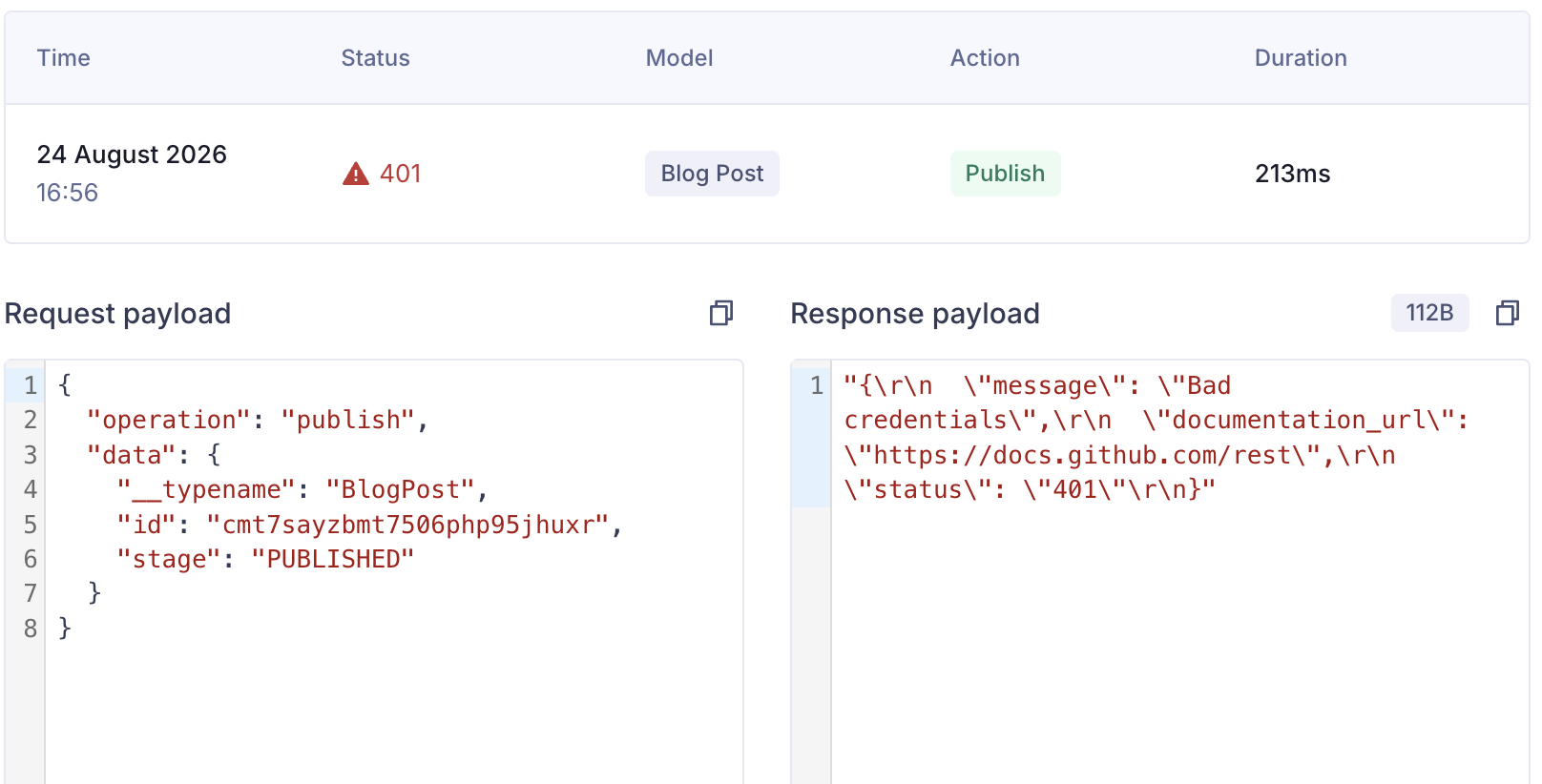
Get the token wrong and GitHub answers with 401 Bad credentials. That part’s a quick fix. But even with the token right, the call still fails, for a reason that has nothing to do with headers.
Why Hygraph → GitHub fails
Hygraph webhooks always send Hygraph’s own payload. You can include your post’s fields in the body, but you can’t replace the body with an arbitrary structure. Every webhook fires with Hygraph’s operation and data fields (including a GraphQL __typename), no matter what the receiving API expects.
GitHub’s repository_dispatch wants { "event_type": "..." } with an optional client_payload. Hygraph will never send that shape, because you don’t control what Hygraph puts in the body. You can tune headers all day. The body still won’t match.
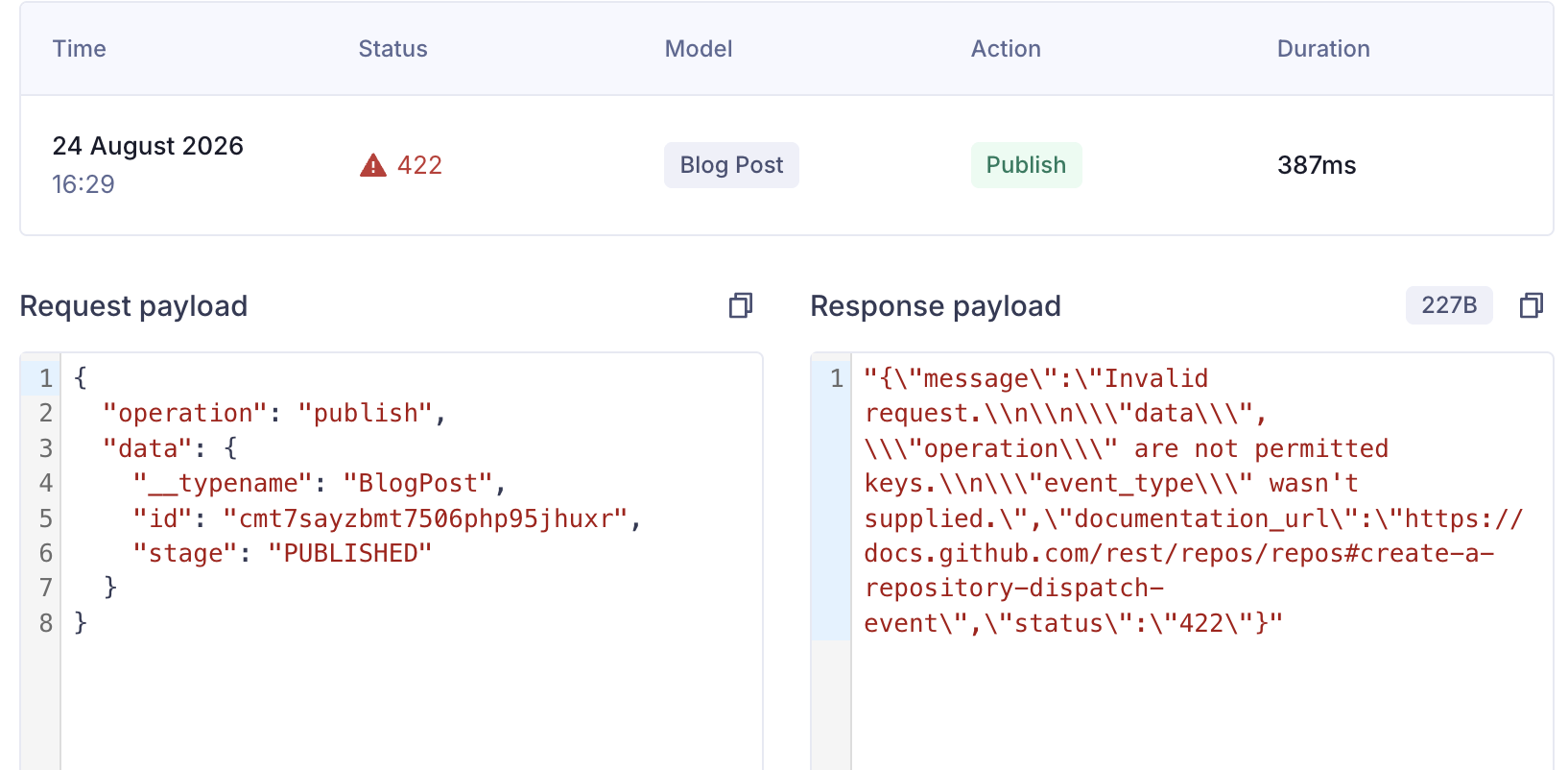
event_type is the one field GitHub requires, and the one field Hygraph never sends.
The fix is to stop trying to make Hygraph speak GitHub’s API, and put a translation layer in between.
The fix: a small adapter route
Add a Cloudflare-rendered Astro route, /api/hygraph-publish, and point the Hygraph webhook there. The webhook config is just:
| Setting | Value |
|---|---|
| Trigger | BlogPost → publish |
| URL | https://<your-domain>/api/hygraph-publish |
| Method | POST |
| Header | Authorization: Bearer <HYGRAPH_WEBHOOK_SECRET> |
Leave “Include payload” off. The endpoint expects Hygraph’s standard publish payload, not a custom body.
The route does three things:
- Authenticates the caller with a shared secret.
- Validates Hygraph’s payload (
operation,__typename,stage) and returns204if it isn’t a publish of aBlogPost. - Re-shapes the request and forwards it to GitHub with the right headers and body.
// src/pages/api/hygraph-publish.ts
import type { APIRoute } from 'astro'
import { env } from 'cloudflare:workers'

export const prerender = false

type RuntimeEnv = {
  GITHUB_DISPATCH_TOKEN?: string
  HYGRAPH_WEBHOOK_SECRET?: string
}

export const POST: APIRoute = async ({ request }) => {
  const runtimeEnv = env as RuntimeEnv
  const githubToken = runtimeEnv.GITHUB_DISPATCH_TOKEN
  const webhookSecret = runtimeEnv.HYGRAPH_WEBHOOK_SECRET

  if (!githubToken || !webhookSecret) {
    const missing = [
      !githubToken && 'GITHUB_DISPATCH_TOKEN',
      !webhookSecret && 'HYGRAPH_WEBHOOK_SECRET',
    ].filter(Boolean)
    return Response.json({ error: 'Webhook is not configured', missing }, { status: 500 })
  }

  if (request.headers.get('authorization') !== `Bearer ${webhookSecret}`) {
    return new Response('Unauthorized', { status: 401 })
  }

  const payload = (await request.json()) as {
    operation?: string
    data?: { __typename?: string; id?: string; stage?: string }
  }

  if (
    payload.operation?.toLowerCase() !== 'publish' ||
    payload.data?.__typename !== 'BlogPost' ||
    payload.data.stage !== 'PUBLISHED'
  ) {
    return new Response(null, { status: 204 })
  }

  const response = await fetch(
    'https://api.github.com/repos/<org>/<repo>/dispatches',
    {
      method: 'POST',
      headers: {
        Accept: 'application/vnd.github+json',
        Authorization: `Bearer ${githubToken}`,
        'Content-Type': 'application/json',
        'User-Agent': 'hygraph-publish-webhook',
        'X-GitHub-Api-Version': '2026-03-10',
      },
      body: JSON.stringify({
        event_type: 'hygraph-blog-post-published',
        client_payload: { post_id: payload.data.id },
      }),
    },
  )

  if (!response.ok) {
    const detail = await response.text()
    console.error('GitHub dispatch failed', response.status, detail)
    return Response.json(
      { error: 'GitHub dispatch failed', githubStatus: response.status, detail },
      { status: 502 },
    )
  }

  return new Response(null, { status: 202 })
}
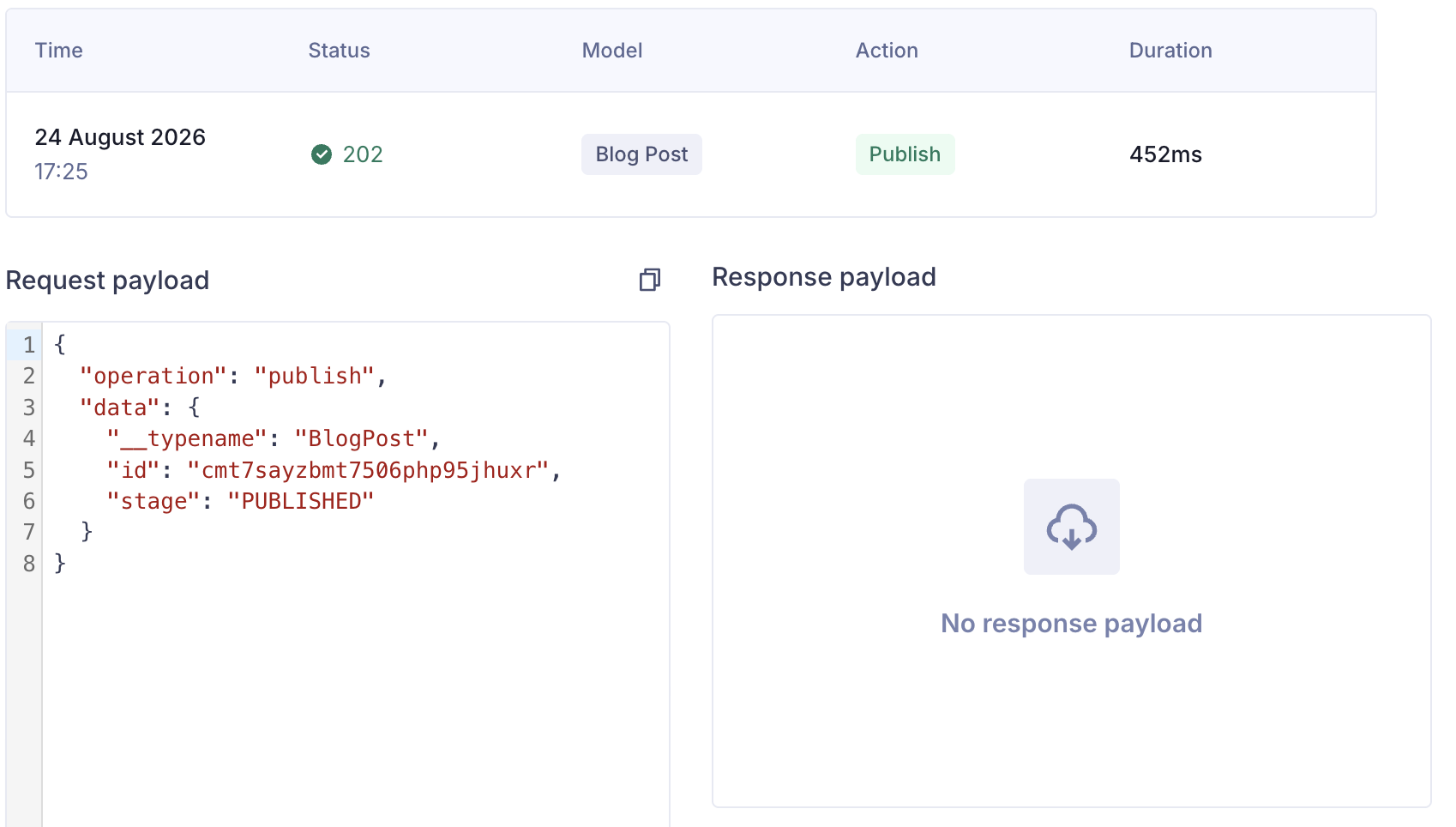
Point Hygraph at the route and publish a post. The endpoint returns 202 Accepted and the dispatch goes through.
The Cloudflare environment variable detour
Reading the secrets wasn’t as simple as expected. locals.runtime.env, the pattern I’d used elsewhere in the app, came back empty in this context. The fix that worked was importing env directly from cloudflare:workers:
import { env } from 'cloudflare:workers'That needs a small ambient declaration so TypeScript doesn’t complain:
// src/cloudflare-workers.d.ts
declare module 'cloudflare:workers' {
  export const env: Record<string, unknown>
}
Then set the two secrets in production. I added them in the Cloudflare dashboard (Workers & Pages → your Worker → Settings → Variables and Secrets), but the CLI works the same:
wrangler secret put GITHUB_DISPATCH_TOKEN
wrangler secret put HYGRAPH_WEBHOOK_SECRET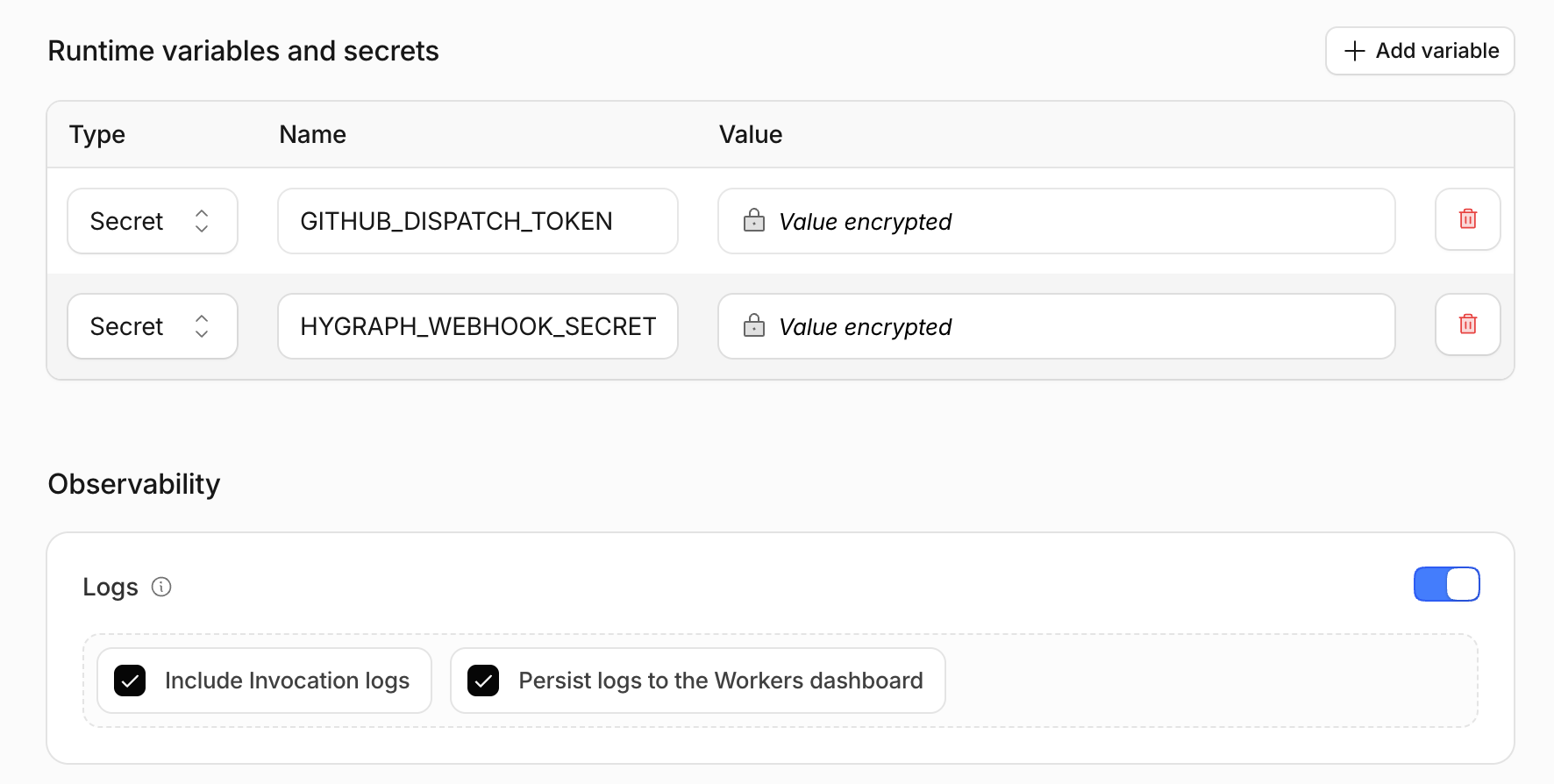
One gotcha: put them under Runtime variables and secrets, not Build variables and secrets. Build variables only exist during the build step. At request time env can’t see them, so the endpoint behaves like the secrets are missing. The failure is silent, which makes it easy to misdiagnose.
The GitHub Action
The GitHub side is unchanged from the original plan. A repository_dispatch-triggered workflow pushes an empty commit, and Cloudflare’s Git integration rebuilds from that push.
# .github/workflows/deploy-on-hygraph-publish.yml
name: Trigger Cloudflare build after Hygraph publish

on:
  repository_dispatch:
    types: [hygraph-blog-post-published]
  workflow_dispatch:

permissions:
  contents: write

jobs:
  trigger-cloudflare-build:
    runs-on: ubuntu-latest
    steps:
      - uses: actions/checkout@v6

      - name: Push a rebuild commit
        run: |
          git config user.name "hygraph-build-bot[bot]"
          git config user.email "41898282+github-actions[bot]@users.noreply.github.com"
          git commit --allow-empty -m "chore: rebuild after Hygraph publish"
          git push origin HEAD:main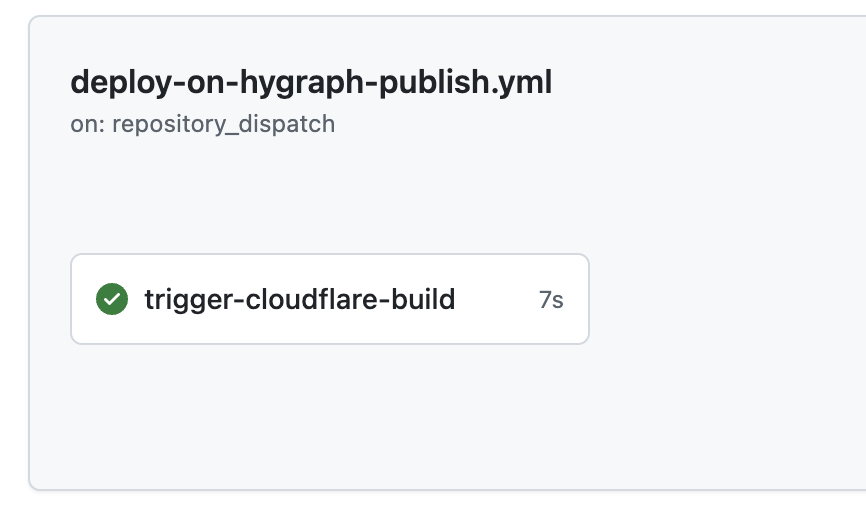
Make failures visible
Two small changes saved the debugging time later:
- Name the missing secret (
GITHUB_DISPATCH_TOKENvs.HYGRAPH_WEBHOOK_SECRET) instead of a flat “webhook is not configured”. - Return GitHub’s status code and body on a failed dispatch, instead of a bare “unable to trigger build”.
The pipeline
Hygraph publish → Cloudflare Worker endpoint (auth + validate + translate) → GitHub repository_dispatch → Action pushes empty commit → Cloudflare build → live site.
Key takeaways
- A webhook isn’t a universal adapter. If the sender controls the payload shape and the receiver expects a different one, no amount of header tweaking closes the gap. You need a translation layer.
- Validate in code, not just in trigger settings. Checking
operation,__typename, andstagein the endpoint is a second gate that doesn’t rely on remembering how some third-party UI was configured. locals.runtime.envisn’t guaranteed everywhere in an Astro-on-Cloudflare app. Importing fromcloudflare:workerswas the reliable path.- Error messages are worth five minutes. Naming the missing secret or surfacing GitHub’s status turned “it’s broken” into “here’s exactly why.”